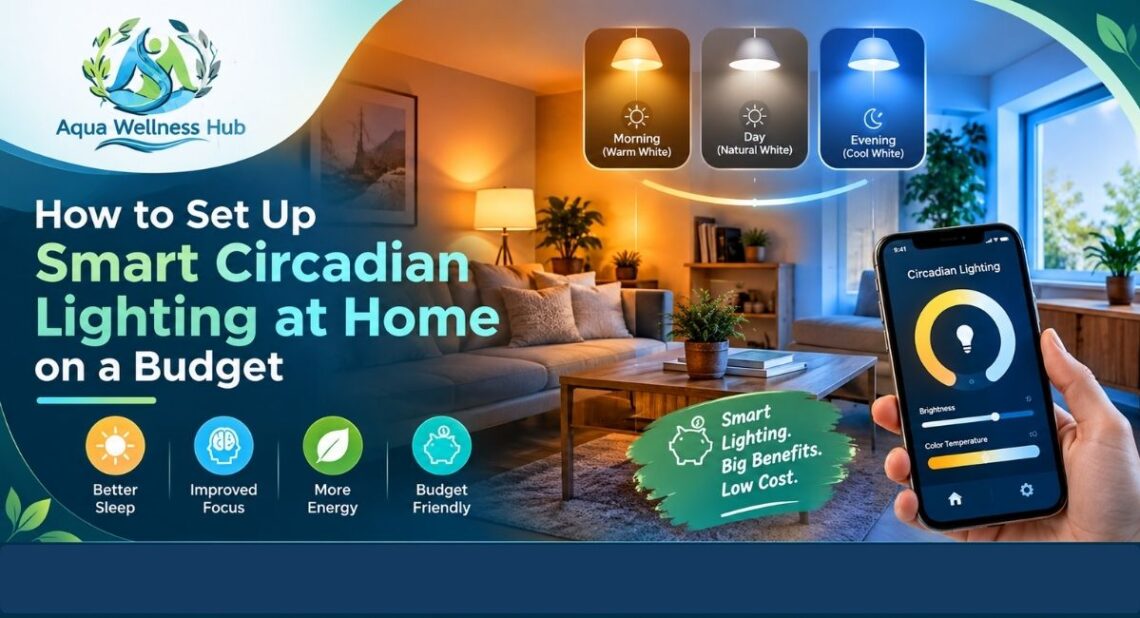
You do not need a designer, an electrician or a four-figure budget to fix the way your home treats your body clock. You need two or three bulbs, a free app and about an hour on a quiet evening.
Most people reach that conclusion the hard way. They read that bright blue-rich light at night disrupts sleep, then walk into a shop and face a wall of smart bulbs with confusing labels. Some cost the price of a coffee. Others cost as much as a pair of trainers. The packaging promises better sleep, more energy and a calmer mind, and gives very little detail about how any of it works.
This guide cuts through that. It shows you how to build a working circadian lighting setup at home for a modest amount of money. You will see what to buy, what to skip, how to schedule your lights, and how to fix the problems that show up in the first week. The goal is simple: bright, cool light when you want to be alert, and dim, warm light when you want to wind down.
What You Are Actually Building
Before you spend anything, it helps to be clear about the target. A circadian lighting setup changes two things through the day: color temperature and brightness.
Color temperature is measured in Kelvin (K). Low numbers, around 2200K to 2700K, look warm and amber. High numbers, around 5000K to 6500K, look cool and bluish white. Cooler light contains more short-wavelength energy, which your eyes use to judge whether it is day or night. Specialised cells in the retina feed that signal to the brain’s master clock, and the clock helps time the release of melatonin, the hormone that marks the start of biological night.
Brightness matters just as much as color. A dim cool light has a smaller effect on your body clock than a bright one. That is why a good setup does not just swap bulb colors. It also ramps brightness up in the morning and brings it down in the evening.
Think of the whole project as three jobs:
- Give yourself bright, cool-leaning light from morning through the afternoon.
- Shift to warm, lower light from early evening.
- Keep light very low and amber in the last hour or two before bed, and during any night-time trips to the bathroom.
If you want the full science behind these ideas, our explainer on what circadian lighting is covers it in depth. This article stays practical. It is about the shopping list, the settings and the routine.
How Much Does It Cost?
Costs vary by country and by season, and sale prices move around. Treat the numbers below as rough ranges, not quotes. They are enough to plan a budget.
A tunable white smart bulb usually costs somewhere between $10 and $30 (about £8 to £25), depending on brand and whether it needs a hub. A hub or bridge, when you need one, adds roughly $30 to $70 (about £30 to £60). A basic sunrise alarm clock costs between $25 and $60 (about £20 to £50). A smart plug, which lets you automate a lamp with a regular bulb, costs about $8 to $20 (about £7 to £15).
Here is how those parts add up in three practical tiers.
| Budget tier | What you buy | Approximate cost | What you get |
|---|---|---|---|
| Starter | 1 tunable white bulb for the bedside lamp, 1 sunrise alarm or smart plug | $30 to $60 (£25 to £50) | Warm, dim evenings and a gentle morning ramp in the bedroom |
| Core | 3 to 4 tunable white bulbs, optional hub, free app routines | $60 to $130 (£50 to £110) | Bedroom, living area and workspace all follow one daily schedule |
| Full | 6 to 8 bulbs, hub or bridge, motion-activated night lights | $150 to $300 (£120 to £250) | Most of the home runs on a schedule, with automatic night lighting |
Most people get the bulk of the benefit from the Starter or Core tier. The reason is simple. Sleep is shaped mostly by the light you see in the evening and the first few hours after waking. You do not need to light the hallway and the spare room on a schedule to get that effect.
Choosing the Right Smart Bulbs
This is where most of your money goes, so it pays to be careful. The market has dozens of brands, but only a handful of features really matter for circadian use.
Tunable white is enough
Smart bulbs come in three broad types: single color (dimmable only), tunable white, and full color. For circadian lighting, tunable white is the sweet spot. These bulbs shift smoothly from warm white to cool white and dim up and down. They cost less than full-color bulbs and often produce a cleaner white light.
Full-color bulbs, such as the Philips Hue White and Color Ambiance range, can do circadian schedules too. The extra colors are fun for parties or movie nights, but they are not required for sleep. Some color bulbs also create white by mixing red, green and blue chips, which can look less even than a bulb built for white light. If budget is tight, do not pay extra for colors you will not use.
Check the Kelvin range
Look for a range that runs from about 2200K or 2700K at the warm end to at least 5000K at the cool end. Many cheaper bulbs only reach 2700K to 6500K, which is fine. A few budget “warm to cool” bulbs have a narrower range, such as 3000K to 5000K. They still work, but the evening warmth will be less pronounced.
Tip: the product page should list the range in Kelvin. If it only says “warm white and cool white” with no numbers, treat that as a warning sign.
Check brightness and fitting
Brightness is measured in lumens. A bulb that replaces a 60 watt incandescent should put out roughly 800 lumens. For a desk or reading lamp, 800 lumens is plenty. For a ceiling fixture in a large room, you may want 1,000 lumens or more, or several bulbs.
Fittings differ by country. In the United States, the common screw base is E26. In the UK and Europe, you will see E27 (screw) and B22 (bayonet). GU10 spotlights are common in UK kitchens. Check the base on your existing bulb before ordering, because a perfect bulb with the wrong cap is useless.
Popular budget-friendly options
Several brands make tunable white bulbs at sensible prices. These are worth comparing, although specific models and prices change often.
Philips Hue. Hue is the best known smart lighting system and tends to be the most polished. The White Ambiance bulbs are tunable white and work with Bluetooth for a small setup, or with the Hue Bridge for a larger one. Prices sit at the upper end of this guide’s range.
IKEA. IKEA sells tunable white bulbs at some of the lowest prices around. They work with IKEA’s own app and hub, and newer models support the Matter standard. The range is simple, and the quality is solid for the price.
LIFX. LIFX bulbs connect straight to Wi-Fi with no hub, which keeps setup short. Some models offer a tunable white range, while others add color.
Wyze and TP-Link (Kasa and Tapo). These brands compete on price and use Wi-Fi. They are a practical choice for a Starter or Core setup, and their apps support schedules.
Nanoleaf and Govee. Both make tunable white and color products, often with more decorative designs. They suit people who also want accent lighting.
None of these is the “right” answer for everyone. If you already use Apple Home, Google Home or Alexa, choose bulbs that work well with the system you already own. That decision will matter more than the logo on the box.
Hubs, Apps and Smart Platforms
A bulb is only half the system. Something has to tell it when to change. You have three ways to connect your lights.
Wi-Fi bulbs
Wi-Fi bulbs connect directly to your router. There is no extra hardware, which keeps cost down. The trade-off is that many Wi-Fi devices on one network can slow things down, and cheap bulbs sometimes disconnect when the router is busy. For up to four or five bulbs, this is usually fine.
Bluetooth bulbs
Some bulbs, including Hue Bluetooth models, connect directly to your phone. This is the cheapest route, but Bluetooth has short range, and schedules often only run properly if the phone is nearby or if you add a hub later. It suits a single bedroom.
Hub-based systems
A hub, or bridge, connects your bulbs using Zigbee or Thread, which are low-power wireless standards built for smart home devices. These are more reliable than Wi-Fi once you have several bulbs, and schedules run on the hub itself, so they keep working if your internet drops. The Hue Bridge and the IKEA hub are common examples. Hubs add cost, but they make sense once you pass six or so bulbs.
Matter
Matter is a newer smart home standard designed to let devices from different brands work together. Many recent bulbs and hubs support it. If you are buying a hub now, choosing one with Matter support gives you more flexibility later. Matter is helpful, but it is not essential for a small circadian setup.
Apps and automatic schedules
You have several ways to run the actual schedule.
- Apple Home and Adaptive Lighting. On supported bulbs, Apple’s Adaptive Lighting adjusts color temperature automatically through the day, cooler in the morning and warmer in the evening. You turn it on once and it runs without a manual schedule.
- Philips Hue app. The Hue app includes built-in scenes and routines, such as wake-up and go-to-sleep sequences, and a natural light option that follows the day.
- Google Home and Amazon Alexa. Both let you build routines that change lighting at set times. You may need to create several routines to cover the full day.
- Brand apps. IKEA, LIFX, Wyze and TP-Link all have their own scheduling tools. These are free and work well for simple setups.
If you want a broader picture of how connected devices fit together in an efficient home, this guide on why smart homes are the future of sustainability is a useful companion read.
A Daily Color Temperature Schedule You Can Copy
Here is a schedule you can enter into any app that lets you set times, color temperature and brightness. Adjust the clock times to match your own wake time and bedtime.
| Time | Color temperature | Brightness | Where |
|---|---|---|---|
| Wake-up (30 minutes before alarm) | 2700K rising to 4000K | 5% rising to 60% | Bedroom |
| Morning (7:30 to 11:00 a.m.) | 5000K to 6500K | 80% to 100% | Kitchen, workspace |
| Midday (11:00 a.m. to 3:00 p.m.) | 4500K to 5500K | 80% to 100% | Workspace, living area |
| Late afternoon (3:00 to 6:00 p.m.) | 4000K falling to 3000K | 70% falling to 50% | Living area |
| Evening (6:00 to 9:00 p.m.) | 2700K falling to 2200K | 40% falling to 20% | Living area, bedroom |
| Wind-down (final 60 to 90 minutes) | 2200K or lowest setting | 5% to 15% | Bedroom, bathroom |
| Overnight | Amber or off | 1% to 5% | Hallway, bathroom |
Two notes on using this table. First, the brightness percentages depend on your bulb and your room, so treat them as starting points. A small lamp at 20% in a small room can feel bright. Second, you do not need every row. If your app only supports three or four scenes, use Morning, Afternoon, Evening and Wind-down.
Step by Step: Setting It Up in One Evening
Here is the process, from unboxing to a working schedule.
Step 1: Pick your first room
Start in the bedroom, or in the room where you spend the last two hours of your evening. The pre-bed hours have the most direct link to sleep, so the payoff is fastest there. Add other rooms later.
Step 2: Check your existing fittings
Look at the cap type and the maximum bulb size on each lamp. Check whether any lamp is controlled by a wall dimmer. Smart bulbs and traditional dimmer switches do not mix well. A dimmer cuts the power the bulb needs to stay connected, which causes flicker or loss of control. If a lamp sits on a dimmer, replace the dimmer with a standard switch or choose a different lamp.
Step 3: Install the bulbs and keep the switch on
Screw in the bulbs and switch on the power. Here is a habit that matters: once smart bulbs are installed, leave the wall switch or lamp switch on. If you turn the power off at the switch, the app cannot reach the bulb. Control the light by voice, the app or a smart button instead. Many brands sell cheap wireless switches or dimmer remotes, which you can stick on the wall next to the old switch.
Step 4: Add the bulbs to the app
Open the brand app, create an account if needed, and follow the pairing steps. Most bulbs enter pairing mode when you switch them on, and some use a QR code on the box. Name each light clearly, such as “Bedside Lamp” or “Desk Light”. Clear names make voice control and routines much easier later.
Step 5: Turn on automatic color temperature or build a schedule
If your platform has automatic circadian settings, such as Adaptive Lighting in Apple Home, switch them on and test them for a few days. If not, use the schedule table above and create four or five timed scenes. Most apps let you set the scene time, color temperature and brightness for each room.
Step 6: Create a wind-down scene
Make a separate scene called “Wind Down” with warm light (2200K to 2700K) at 10% to 20% brightness. Trigger it automatically about two hours before bed. Also create a “Bedtime” scene that drops to the lowest setting or turns the lights off.
Step 7: Add a morning ramp
Set your bedroom light to brighten gradually over 20 to 30 minutes before your alarm. If your bulbs do not support a gradual ramp in their app, use a basic sunrise alarm clock. Pair this with some real daylight after you get up. A few minutes near a window or outside does more for your body clock than any bulb.
Step 8: Test and adjust for two weeks
Run the schedule for at least two weeks before judging it. Track how long it takes to fall asleep and how you feel at 3 or 4 p.m. If you feel sluggish in the afternoon, raise midday brightness. If you still feel wired at night, start the wind-down earlier or lower the evening brightness.
Room by Room: What to Do Where
Bedroom
The bedroom has two jobs: a gentle start to the day, and a calm end to it. Fit a tunable bulb in the bedside lamp and one in the main ceiling light if you use it. Keep evening light warm and low. At night, avoid anything bright enough to wake you fully if you need to get up. A low amber nightlight at floor level works well.
Living room
This is where most people spend the evening, so it is where the biggest gains come from. Use lamps rather than a single ceiling light. Several low sources feel calmer than one bright overhead bulb, and you can set each to a warm, dim level. If you want more ideas for creating a restful atmosphere, these tips to create a calming space at home cover color, layout and texture.
Home office
Use your best, brightest light here during the day. A desk lamp or ceiling bulb at 5000K and high brightness supports alertness. Place your desk near a window if you can, because even cloudy daylight is far brighter than most indoor lighting. For more on getting the most from daylight while trimming your electricity use, see these natural lighting ideas to save energy.
Kitchen
Kitchens often have bright, cool lights, which is fine in the morning and at lunchtime. The problem comes after dinner. If you are cleaning up or snacking in the evening, a bright 5000K kitchen light works against your wind-down. Set kitchen lights to shift warmer and dimmer after dinner, or use under-cabinet lights at low brightness.
Bathroom and hallway
Night-time bathroom trips are one of the most common causes of sleep disruption from light. Use a motion-activated amber nightlight, placed low, instead of the main light. If your bathroom lights are on a smart schedule, set a night mode that triggers at very low brightness and a warm tone between bedtime and sunrise.
Cheap Ways to Get Started Without Smart Bulbs
If your budget is under $30 or £25, you can still build a basic circadian routine. None of these methods are as precise as a smart system, but they work.
Swap harsh evening bulbs for warm white ones, rated 2700K or lower. Standard LED bulbs in this range cost very little. Put lamps on a dimmer switch or a plug-in dimmer. Use lamps rather than overhead lights after dinner. Buy a basic sunrise alarm clock for the bedroom. Use a smart plug with a warm bulb, and schedule the plug to switch the lamp on and off.
A smart plug adds a small amount of automation. It cannot change color temperature, but it can turn lights on at a set time and off at bedtime. Combined with warm bulbs in the evening and open curtains by day, that is already a decent setup.
Realistic Examples
Dev in Leeds, working from a one-bedroom flat. Dev spends most of his day at a desk by a small window, with a standard warm bulb overhead. After work, he sits under the same overhead light until bed. He buys two tunable white bulbs, one for the desk lamp and one for the living room lamp, for about £25 total, and uses the free app. He sets the desk lamp to 5000K from 8 a.m. to 3 p.m. and the living room lamp to drop to 2400K from 7 p.m. After two weeks he reports falling asleep a bit faster and feeling less flat in the afternoon. The change is modest, but he finds the routine easy to keep.
Marcus and Tia in Austin, with a toddler. They want a bedroom setup that works for early mornings and night wake-ups. They buy a pair of tunable bulbs for the bedroom, a motion-sensing amber nightlight for the hallway and a sunrise alarm for the nursery. Total cost is around $90. The amber nightlight means late-night checks no longer involve flicking on a bright light that wakes everyone, and the bedroom wind-down scene gives them both a cue to put phones away.
Neither example promises a dramatic change. That is the realistic expectation. Lighting helps shape your body clock, but the effect is strongest when it comes with regular sleep times and daylight.
What About Running Costs?
A common worry is that smart bulbs will push up the electricity bill. For most homes, they do not. LED smart bulbs typically draw around 8 to 10 watts at full brightness, and much less when dimmed. Because a circadian schedule keeps evening lights dim, you are likely to use less power than you did with a bright overhead bulb.
There is one small cost to account for. Smart bulbs and hubs draw a tiny amount of standby power so they can listen for commands. Across a few bulbs, it is negligible. Across a whole house, it adds up a little, so it is sensible to buy efficient models and avoid more bulbs than you will actually use.
If cutting your bill is part of the motivation, these best ways to lower your electricity bill naturally pair well with a lighting upgrade. For a wider look at products that cut waste without making a home less comfortable, see this roundup of top energy saving devices for every home.
Troubleshooting Common Problems
The bulb keeps going offline. Check that the wall switch is on. Move the router closer or add a hub. Update the bulb firmware in the app, because updates often fix connection problems.
The light flickers when dimmed. This usually points to an incompatible dimmer switch or a very low brightness setting. Replace the dimmer with a standard switch, or raise the minimum brightness slightly.
The color looks different between bulbs. Mixing brands, or mixing old and new bulbs, can produce slightly different whites at the same Kelvin number. Keep the same brand and model within one room where possible.
The schedule runs at the wrong time. Check the time zone and daylight saving settings in your app and on your phone. Some apps do not adjust automatically after clocks change.
Routines clash. If you use more than one platform, such as Hue and Alexa, you may end up with two schedules fighting each other. Choose one system to run your schedule and remove the others.
The light is too bright in the evening, even at low settings. Some bulbs do not dim below 10%. Use a lower-wattage bulb, a lamp with a shade or a dimmer-friendly model.
Privacy and Security Basics
Smart bulbs connect to your network, so basic digital habits apply. Use a strong, unique Wi-Fi password. Keep your router firmware current. Update bulb and hub firmware when the app prompts you. Choose well-known brands that publish security updates. Read what data the app collects, and turn off any features you do not need. None of this is complicated, and it keeps a cheap lighting project from becoming a security headache.
Common Mistakes to Avoid
Buying too much too soon. Start with two or three bulbs. You can always add more after a few weeks.
Focusing on color and forgetting brightness. A warm bulb at full brightness at 11 p.m. can still keep you alert. Dim the light as well as warming it.
Skipping daytime light. Evening changes work better when your days are bright. Open curtains, sit near windows and step outside for a few minutes.
Forgetting the screens. Phones, tablets and laptops give off bright, cool light at close range. Use night mode and lower the brightness after dinner. Put the device down earlier when you can.
Expecting an instant fix. Your body clock responds to repeated patterns. Give your new schedule two weeks or more before you judge it.
Ignoring everything else about sleep. Lighting is one lever. Caffeine, irregular bedtimes, noise and room temperature all matter too. For a broader set of evening habits, this guide to a wellness sleep routine with simple evening habits is a good place to build from.
What the Evidence Supports
It is worth being honest about the limits. Research shows that light timing and intensity affect melatonin and the body clock. Harvard Health Publishing summarises the effect of blue wavelengths on sleep clearly in its piece on blue light and its effect on sleep. Studies in offices, schools and care settings suggest that well-designed lighting can improve sleep and mood in some groups.
At the same time, results vary, study designs differ and home environments are messy. A bedside lamp is not a laboratory. Circadian lighting will not treat insomnia, sleep apnea or anxiety. If you have trouble sleeping for several weeks, wake unrefreshed despite enough time in bed, snore loudly or feel very sleepy in the day, speak to a doctor. If you have an eye condition, bipolar disorder or a light-triggered migraine history, talk to a clinician before making big changes to your light exposure.
One Room, One Schedule, Two Weeks
Circadian lighting at home does not need a big budget. It needs a clear goal: brighter, cooler light by day and softer, warmer light at night. A few tunable white bulbs, a free app and a schedule you can stick to will get you most of the way there.
Start with the bedroom or the room where you spend your evenings. Install your bulbs, keep the switches on and set a wind-down scene about two hours before bed. Add a gentle morning ramp. Get outside for daylight whenever you can. Then give it two weeks before you change anything.
If this project sparks more ideas for a calmer, healthier home, Aqua Wellness Hub shares practical guides on sleep, hydration, energy saving and everyday eco-friendly living. Pick one small change tonight, and let the habit build from there.